
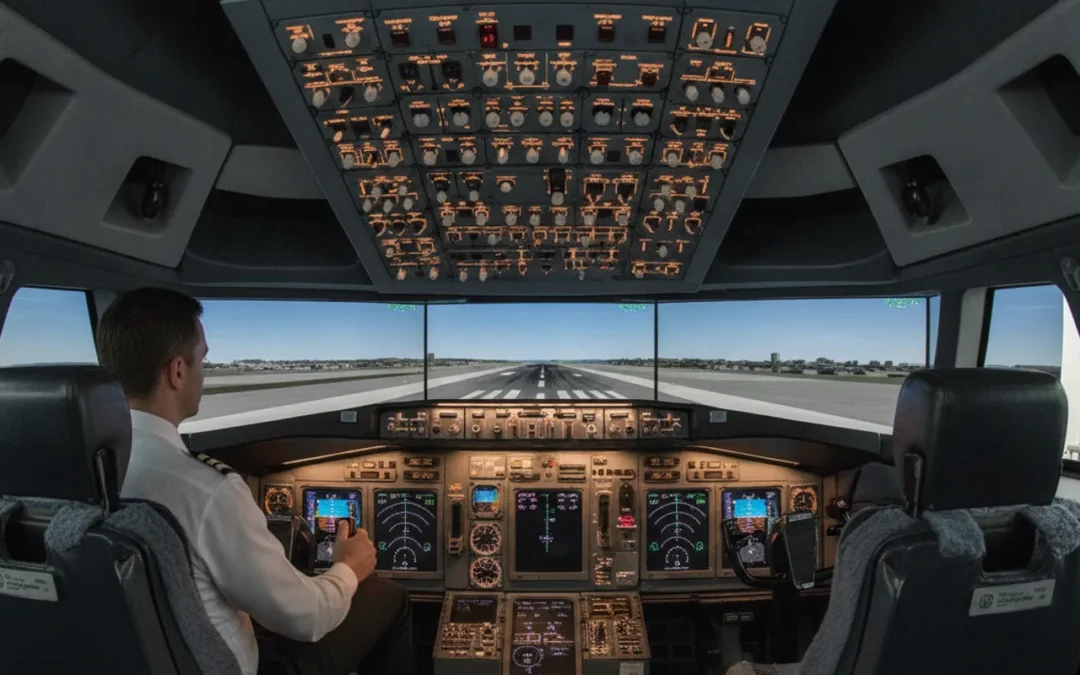
Flight simulator software helps recreate aircraft systems, cockpit indications, and operating scenarios in a controlled training environment. But software alone does not determine whether a simulator is suitable for a pilot’s goal. The device, approved training program, instructor, and course scope all matter. If you are comparing options, focus first on what training you need and what the simulator is intended to support.
Ask about professional simulator training
What does flight simulator software do?
Flight simulator software models elements of an aircraft and its environment so a training device can present a scenario to a pilot. Depending on the simulator and its configuration, software may represent flight dynamics, aircraft systems, instrument indications, navigation data, weather, and the visual environment outside the cockpit.
The software is one part of a larger system. Controls, displays, motion or other physical cues, instructor tools, and the device’s approved qualification all affect how training is delivered. Two simulators can use software with similar-sounding features and still serve different purposes. A desktop flight simulation program, for example, is not interchangeable with a training-center device used in a structured professional course.
For airline training, the practical question is not simply which program has the most features. Ask whether the complete device and course support the specific training objective you are pursuing. Las Vegas Flight Academy describes its professional training and simulator environment on its academy overview.
Which parts of a simulator should pilots evaluate?
When you evaluate flight simulator software, look at the training system as a whole. Use these areas to structure your questions:
- Aircraft representation: Ask which aircraft variant and configuration the training device represents. A general-purpose simulation may not reproduce the relevant cockpit layout or system behavior for a particular aircraft.
- Systems and procedures: Find out what aircraft systems and operating procedures the course covers. The software’s capabilities matter only when they align with the lesson objectives.
- Visual and instrument environment: Ask how the device presents instrument information and outside visual references, and which scenarios are included in the training plan.
- Instructor control: Understand how instructors brief, introduce, pause, or review scenarios. Software is a teaching aid; instructor-led objectives and feedback shape the learning experience.
- Device qualification: Confirm the status and intended use of the specific training device. Do not infer regulatory approval from a software feature list or a vendor’s product description.
- Course scope: Request a clear description of what the course includes and what it does not. A simulator session is not automatically a substitute for every required course, check, or qualification.
How do software, simulator hardware, and approval differ?
These terms are related, but they are not synonyms. Software generates or manages simulated elements. Hardware provides the cockpit controls, displays, computing equipment, and other physical components. The assembled device is evaluated and qualified for a defined purpose under applicable rules. A course then uses a device and instructor-led activities to pursue specific training objectives.
The Federal Aviation Administration’s official website is the starting point for information about U.S. aviation regulation. When a training claim depends on a particular approval or qualification, verify the precise device and course rather than relying on a broad statement that software is “FAA approved.” The regulatory status of software by itself should not be confused with the status of a training device or program.
| Item | What it refers to | Question to ask |
|---|---|---|
| Simulation software | The digital representation of aircraft, systems, scenarios, and environment | What aircraft and training scenarios does this configuration represent? |
| Simulator device | The complete equipment setup, including controls, displays, and software | What is the specific device qualified or intended to support? |
| Training course | The instructor-led curriculum and activities delivered using a device | What objectives, prerequisites, and completion records are included? |
| Personal desktop program | A software product used on a personal computer or home setup | Is this for familiarization and practice, or does it meet a formal course requirement? |
How should you compare software and training options?
Start with your intended outcome. A pilot seeking familiarity with a cockpit may have a different need from a pilot completing a formal professional course. A training manager arranging sessions for an operator may need to confirm aircraft configuration, scheduling, records, and course scope. Write down the goal before comparing features.
- Name the training objective. Identify the certificate, course, aircraft transition, recurrent objective, or familiarization task you need to address. If you are unsure which program applies, ask the training provider to clarify the distinction.
- Confirm prerequisites and eligibility. Ask what documents, experience, or prior training are needed before enrollment. Do not assume a software download or simulator booking satisfies course prerequisites.
- Identify the device and aircraft configuration. Request the specific device type and aircraft variant used. Compare this with your training objective rather than relying on generic claims about realism.
- Review the instructional plan. Ask how classroom or briefing work, simulator periods, instructor feedback, and assessment fit together. Request details in writing if you are comparing providers.
- Check what completion means. Ask what records or documentation are provided and whether additional steps remain after the course. Requirements may depend on the specific credential and your circumstances.
- Compare practical arrangements. Clarify dates, location, expected attendance, cancellation terms, and any travel planning. Confirm variable operational details directly with the provider.
For a pilot pursuing airline training, the ATP-CTP course information is a useful place to understand the academy’s program context. The course has defined regulatory and instructional requirements; general-purpose simulator software should not be treated as a substitute for those requirements.
Can desktop flight simulator software replace professional training?
Desktop software can be useful for personal interest, basic cockpit familiarization, or practicing concepts, depending on the product and how it is used. It can help a pilot explore instrument layouts or rehearse a flow at home. But its value for practice does not establish that it meets a formal training requirement, reproduces a specific qualified device, or grants credit toward a certificate or rating.
Keep home practice within the limits of your knowledge and the program’s documentation. Avoid treating a simulated result as proof of proficiency in an aircraft. Real operations involve certified equipment, procedures, instructor oversight where applicable, and circumstances that a home setup may not represent. If you need training credit or qualification, ask the relevant training provider or authority what is required.
What questions should you ask before choosing a program?
A short, direct conversation can reveal whether an option fits. Consider asking:
- Which specific training objective does this program address?
- What simulator device and aircraft configuration are used?
- What role does the software play in the course, and what does it not cover?
- What prerequisites should I complete before arriving?
- How are sessions briefed and debriefed, and what instructor support is included?
- What course records or completion documents will I receive?
- Which details, such as dates and other logistics, should I reconfirm before travel?
For professional programs, review the provider’s published course description and ask about any point that remains unclear. The Part 142 training guide offers additional background on the training-center framework. You can also compare the academy’s Boeing 737 type-rating information if your objective relates to that aircraft training path.
How can training buyers make a fair comparison?
Use the same checklist for every provider, and separate confirmed information from assumptions. A feature list can make one software product look more capable, but it may not tell you whether the course matches your goal. Compare the complete training offer, including device, instructor involvement, course scope, practical arrangements, and documentation.
Do not compare price alone without checking what each option includes. One quote may cover a structured course while another describes access to a simulator or software only. Request a written breakdown of included instruction, materials, sessions, and any other charges. For current program details, use the relevant contact page rather than relying on assumptions or outdated third-party listings.
As a practical example, suppose two options both advertise a cockpit model and weather scenarios. The first is a personal desktop setup with user-configurable controls; the second is a scheduled instructor-led course using a specified training device. A pilot seeking at-home familiarity might reasonably compare interface, system coverage, and ease of practice. A pilot pursuing a formal course must instead establish whether the course addresses the required objective, what device is used, and what documentation follows. The same software feature therefore has different value depending on the decision being made.
Build a comparison sheet with one row per provider and columns for the stated objective, device identification, aircraft configuration, instructor role, prerequisites, included sessions, completion records, and unresolved questions. Mark each entry as confirmed, not applicable, or awaiting an answer. This simple method prevents a marketing description from being mistaken for an agreed course detail.
When a provider uses terms such as “realistic,” “advanced,” or “approved,” ask what the term means in context. “Realistic” might refer to visuals, cockpit controls, systems behavior, or a combination. Ask for the named device and the exact purpose for which it is used. If the answer does not connect the feature to your objective, keep that item separate from your enrollment decision.
What does a good simulator evaluation look like?
Make the evaluation concrete by describing a training task rather than asking only whether a system is realistic. For example, if the goal is to understand cockpit flows, ask which controls, indications, and procedures the software represents and whether the course includes instructor demonstration and feedback. If the objective involves a formal course, ask how the simulator periods map to the curriculum, not just how many scenarios are available.
Then test the provider’s explanation against your own needs. A pilot with a particular aircraft transition in mind should ask whether the configuration corresponds to that aircraft and what differences remain. A buyer arranging training for several pilots may also need a repeatable outline of the session, instructor resources, and records. Do not assume that one answer applies to every learner or program.
Keep a short record of the conversation. Note the date, person or department contacted, device description, stated course scope, and any follow-up documents promised. This is not a substitute for official course materials or regulatory verification, but it helps you identify unanswered points before booking. If details change, ask for updated information rather than relying on an earlier verbal description.
Call Las Vegas Flight Academy to discuss your training needs
Frequently asked questions about flight simulator software
Does flight simulator software alone qualify as a training device?
No. Software is only one component of a simulation system. Confirm the status and intended use of the complete device and the course in which it is used.
Can flight simulator software help me prepare for airline training?
It may help with general familiarization or practice, depending on the software. Ask your training provider what preparation is appropriate and do not assume home practice earns formal training credit.
What should I compare when choosing flight simulator software?
Compare the aircraft representation, system coverage, scenarios, instructor tools, device context, and fit with your training objective. For formal training, also verify course scope, prerequisites, and completion documentation.
Where can I ask about professional simulator training?
Contact the training provider directly with your objective, prior experience, and questions about device and course scope. You can call Las Vegas Flight Academy to discuss your inquiry.
The most useful flight simulator software is the option that supports a clearly defined training objective within an appropriate device and course. Verify the details before you commit, and ask the provider to explain anything that affects your qualification or training plan.